Learning tool
2026 · Chrome Extension
MindCapsule
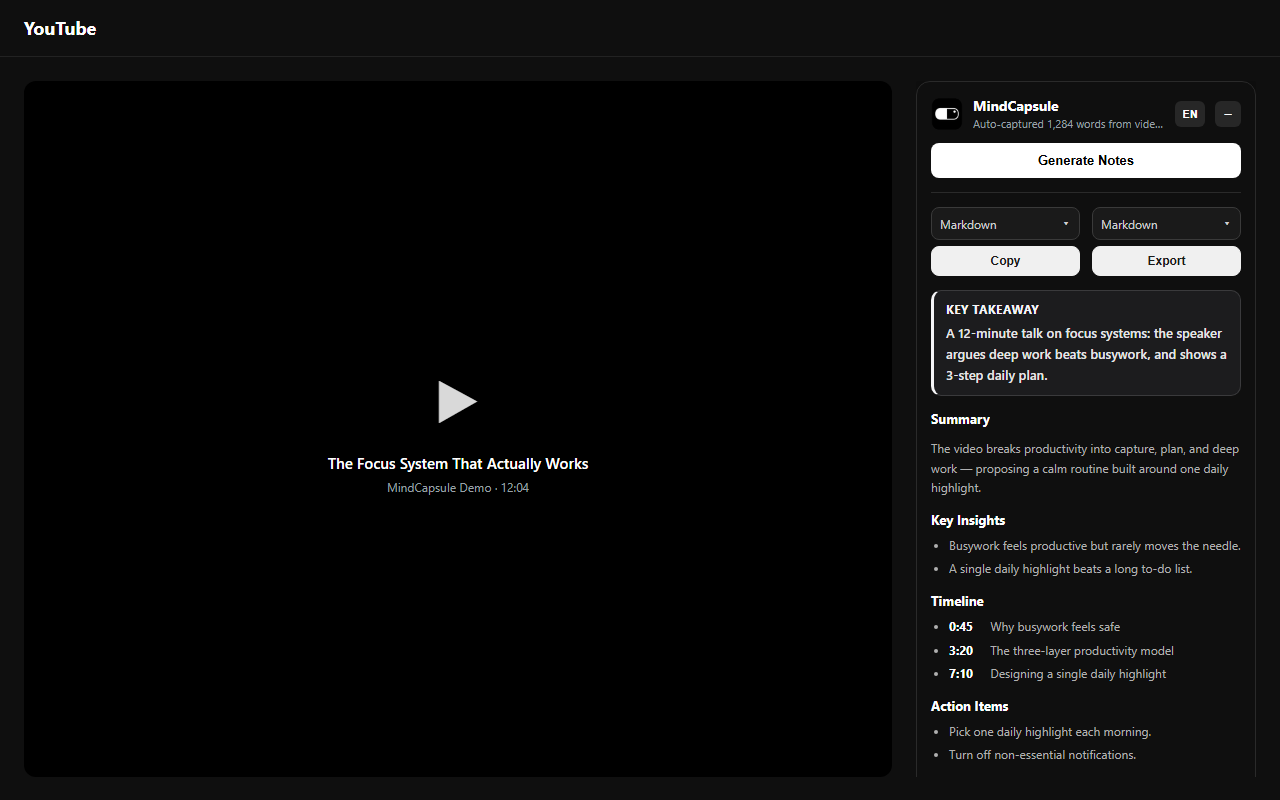
Turns the YouTube video you are watching into structured notes: a TL;DR, summary, key insights, a timestamped timeline and action items.
- Year
- 2026
- My role
- Product definition · UX · Development · Launch
- Platform
- Chrome Extension
01
The problem
Knowledge videos are long, and useful content is only part of them. Rewatching to find one point costs the time the video was meant to save, and handwritten notes tend to miss the point.
02
Product approach
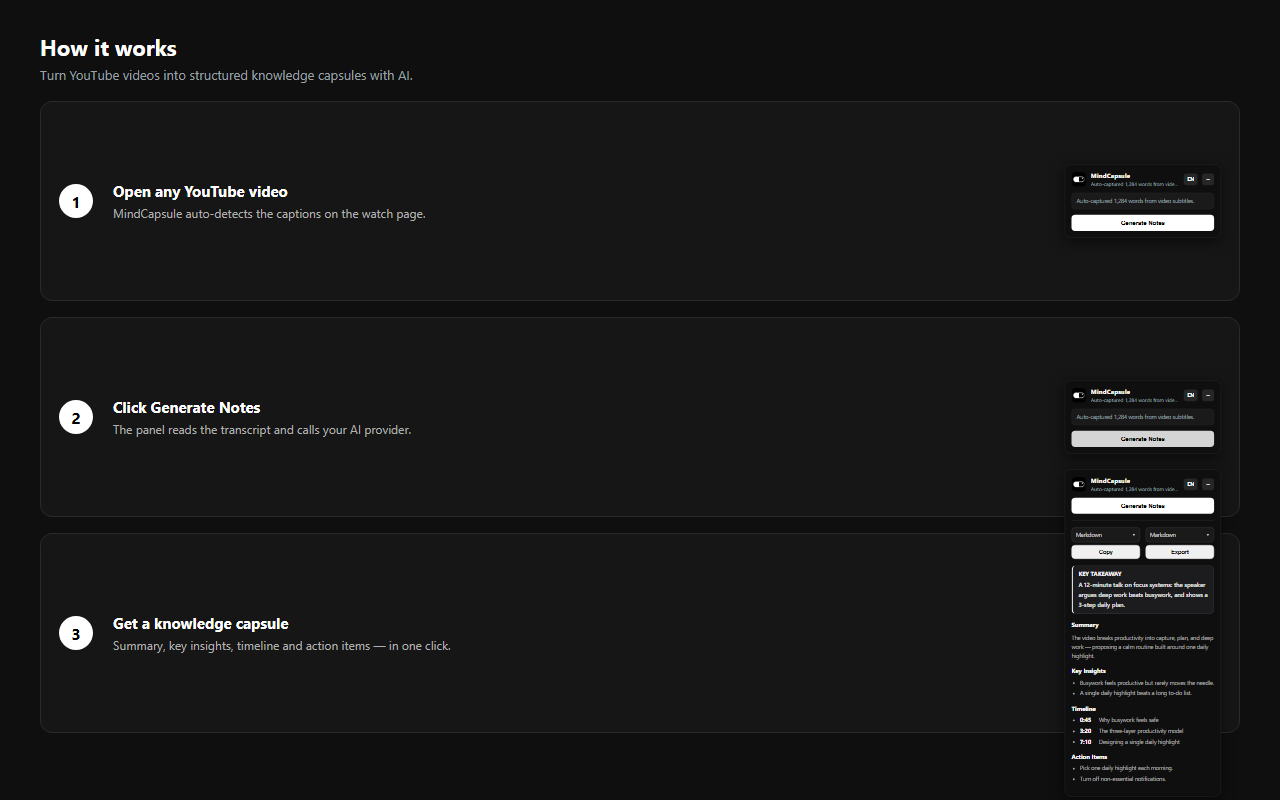
MindCapsule reads the captions beside the player and returns structured notes: a one-line TL;DR, a short summary, key insights, a clickable timeline and action items. Notes are kept, so a video can be reviewed without rewatching.
03
Key product decisions
01
Structure, not a transcript
The output uses a fixed structure that can be skimmed in seconds, instead of a long block of text.
02
Timestamps for checking
Every insight keeps its timestamp, so it can be checked against the video.
03
Notes are kept
Generated notes are saved and can be reopened any time.
04
From friction to launch
01
Long video, little note
Started from long knowledge videos: what remained afterwards was far less than the time invested.
02
Shape the output
The order — TL;DR, summary, insights, timeline, actions — is designed to fit one screen.
03
Beside the player
The popup sits beside the video, so summarising needs no extra tab and no copy-paste.
05
What I learned
Summaries are easy to generate; usable ones need structure: order, timestamps and next steps are what make the notes actionable.
06
Store promo graphics
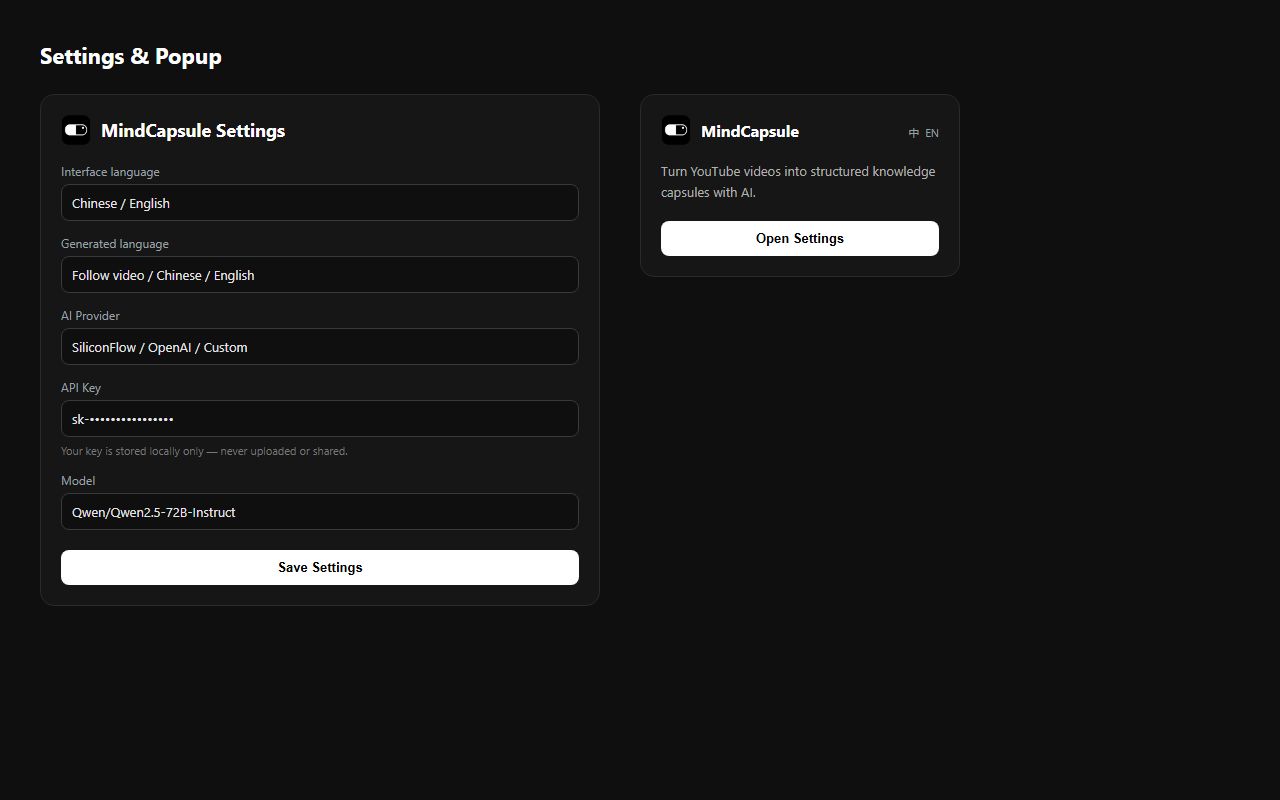
Screenshots from the Chrome Web Store listing.